Halloween Event Goes Live!
Spooky season has arrived! Rust's Halloween event goes live today with a mandatory client and server update, bringing back candy hunts, creepy NPCs, portals, Frankenstein pets, and more. Along with the festivities, the developers have been busy working on a major blueprint progression overhaul, livestock improvements, new weapons, and a hefty round of optimizations. Here's what's happening!
Halloween event overview
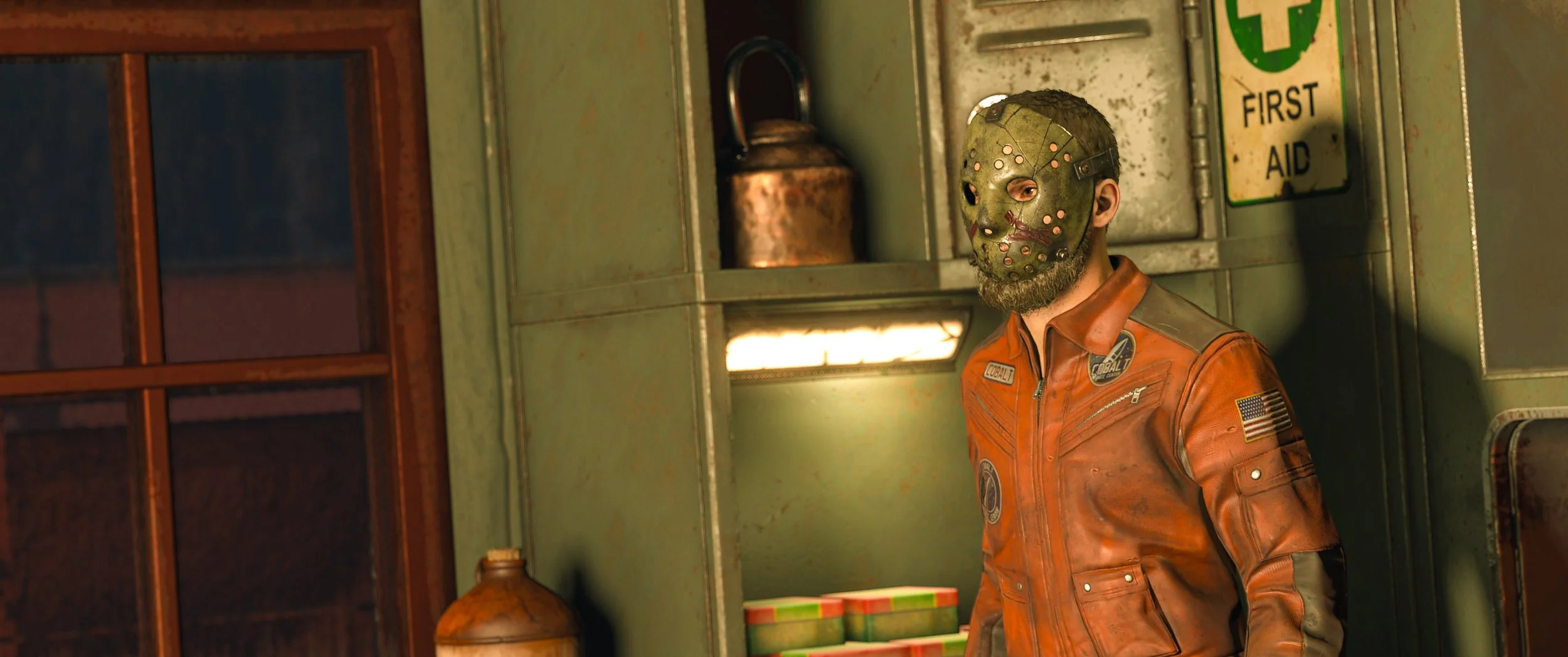
Rust's annual Halloween event is back, bringing all the spooky goodness we've come to expect. Scarecrows and Mummies will be roaming the map, mysterious portals will transport players into loot-filled dungeons, and the Trick or Treat event returns with plenty of candy and prizes up for grabs. Frankenstein pets are also making a comeback, along with Halloween-themed resource pickups and seasonal decorations.
The event is being activated with today's mandatory client and server update. Expect the usual Halloween chaos across servers, with plenty of opportunities to grab some extra loot while avoiding chainsaw-wielding maniacs.
Trick or Treat
The Trick or Treat event returns, giving players a chance to collect candy and score some pretty decent loot. Similar to the Easter egg hunts, a countdown will periodically appear before candy starts spawning around players. Once the event begins, you've got three minutes to collect as much as possible. The three players who collect the most candy receive bonus loot bags.
Candy can be eaten for a small health and calorie boost or combined into increasingly valuable loot bags. Ten candies make a Small Loot Bag, ten Small Loot Bags make a Medium Loot Bag, and ten Medium Loot Bags make a Large Loot Bag. The higher tiers can contain some serious equipment, including weapons, explosives, and other valuable items. Pumpkin Buckets help collect candy faster, while Scarecrow Wraps improve candy visibility. Several fixes have also been made to candy spawning, including an issue where invisible or disconnected players could prevent candy from appearing.
Halloween portals and Frankenstein pets
Mysterious portals are also returning, randomly appearing across the map and transporting players into underground dungeons. Inside, you'll encounter hostile Scarecrow NPCs guarding various loot crates. Clear out the enemies, grab what you can, and head back through the portal to return to where you started. This year, portal exits have a clearer interaction prompt, and several fixes have been made to dungeon spawning, navigation, and map visibility.
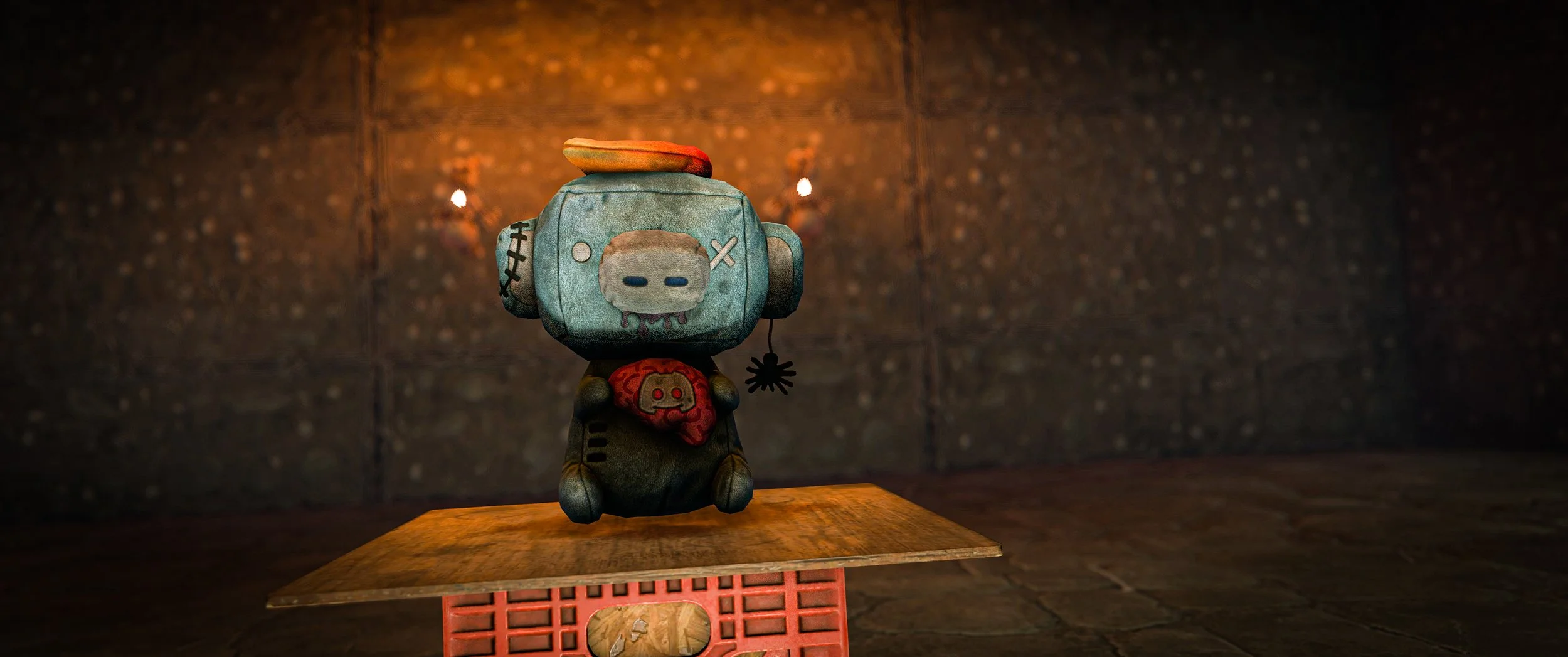
Frankenstein pets are back as well! Collect heads, torsos, and legs from Halloween NPCs, then combine them at a Frankenstein Table to create your own monstrous companion. Parts come in light, medium, and heavy varieties and can be mixed and matched to balance speed and durability. Once assembled, pets can follow, guard, and assist in combat. The table remains a default blueprint, and this year's changes include fixes for pet movement, code lock positioning, and preventing players from using Frankenstein Tables when building blocked.
New Halloween items for 2026
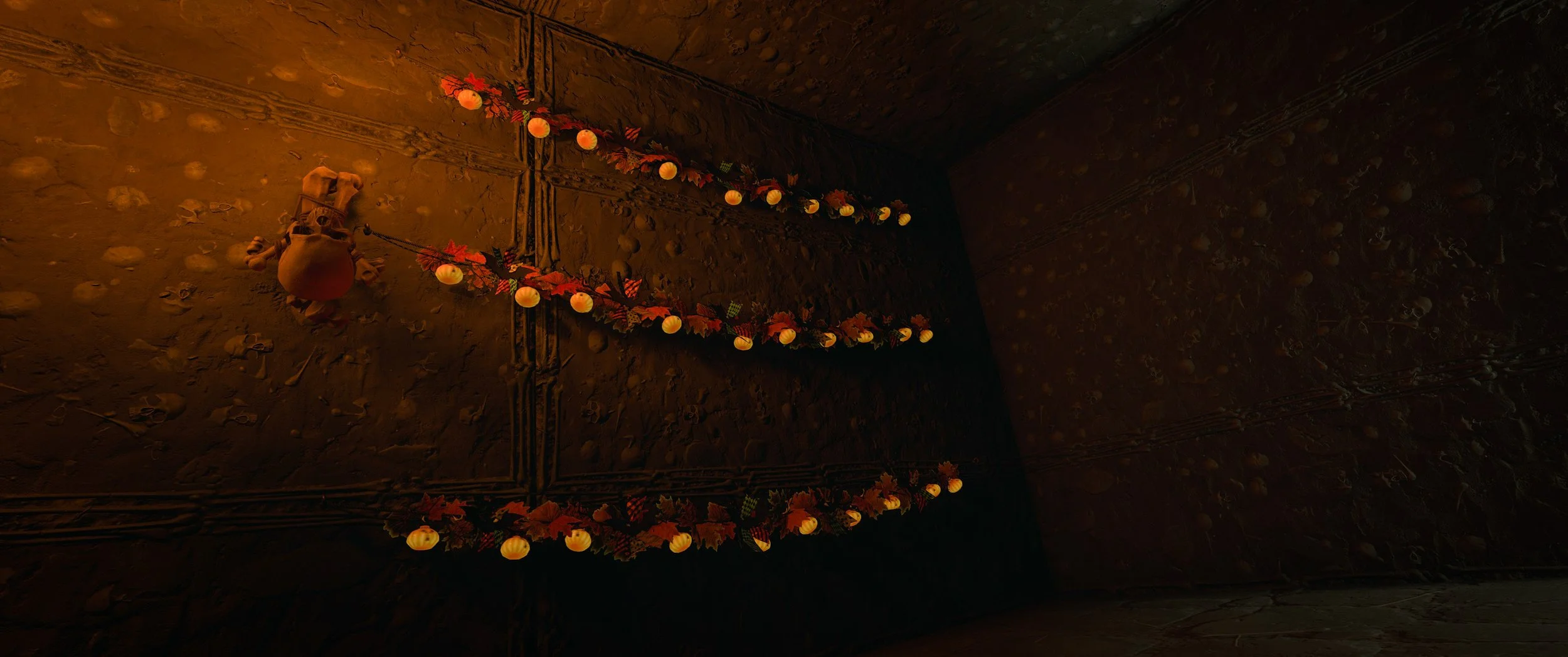
Along with the returning festivities, several new Halloween-themed items are arriving this year. Among them is a new Alien Costume, complete with its own model and animations. There's also a Skull Wall Lamp, Tuna Can Skull Lamp, and new Halloween String Lights to help give your base that extra spooky atmosphere.
The new Halloween String Lights work similarly to the existing Christmas lights, allowing players to decorate their bases with some seasonal flair. The developers have also been polishing placement and collision behavior to make decorating a bit easier. These items are being added as limited-time offerings on the item store, so grab them while they're available!
Blueprint progression overhaul
Looking beyond Halloween, the developers have kicked off work on a significant overhaul to Rust's blueprint and technology tree progression. The biggest change is replacing scrap with blueprint items when unlocking technologies through the tech tree. Rather than spending scrap directly, players will need Blueprint Fragments, Blueprint Pages, or Blueprint Books depending on the workbench tier.
Blueprint Fragments will be found in barrels, boxes, and other common loot sources, while Pages and Books will appear in progressively higher-tier loot. Currently, each technology unlock requires one corresponding blueprint item, with ten Fragments combining into a Page. Pages cannot be upgraded into Books. Workbench crafting costs are also being reverted to scrap, with Level 1 costing 50 scrap, Level 2 costing 500, and Level 3 costing 1,250.
The Research Table will continue using scrap, although research costs are being increased for several item rarities. Common items move from 15 to 20 scrap, Uncommon from 30 to 40, Rare from 60 to 100, and Very Rare from 120 to 300. Default blueprints remain at 10 scrap. The Salvage Workbench Upgrade also has a 20% chance of preserving a blueprint when used. All of this is still being worked on in a separate development branch, with additional balancing expected before release.
Livestock improvements
Work continues on the upcoming livestock system, with more changes to animal behavior, feeding, transportation, and interactions. Cows and sheep are getting additional animations, including reactions to being petted, jumping movements, and new sounds. The developers have also been refining how animals use feeding troughs, allowing them to graze on grass while still consuming food from their troughs. Animals now eat less trough food when more grass is available, although relying entirely on grass provides less nourishment.
Livestock management is also getting some attention. Herd sizes are currently limited to five animals, and flatbed trailers have updated mounting points to account for different animal sizes. The livestock vendor now has additional dialogue when players bring in young animals, which are also sorted separately from sellable adult animals. Work continues on shearing animations, digestion boosters, and milk processing. Although various underlying changes have made their way into main, the broader livestock system remains a work in progress.
New weapons and weapon refresh
The developers continue working on several new weapons, with the Uzi 9mm seeing some of the most progress this week. The weapon is getting separate handling characteristics depending on whether its stock is extended or collapsed, including changes to recoil and aiming. Additional work has been done on firing animations, effects, magazine capacity, and fire rate, although final balancing values haven't been established.
Elsewhere, the Nailgun has received updated first- and third-person models, improved textures, and initial support for skins. Early development is also underway on several other weapons, including the M1 Garand, FN FAL, P90, G3A3, Warhammer, Katar, and Flail. Most of these are still in the initial modeling stages, so don't expect them to show up in your inventory just yet. Grenades, Beancans, Firecrackers, and Flares are also receiving updated throwing and attachment animations.
Tattoos and character customization
Work on the upcoming tattoo system continues, with several improvements to how tattoos are applied, edited, and displayed. A new layering system separates existing tattoos from those currently being edited, while a stencil feature allows players to stamp designs directly onto their characters. Tattoos can also fade over time, including from radiation exposure, and a restoration tool is being developed to bring faded designs back to their original appearance.
Additional changes include improved brush precision, adjustable opacity, better first-person visibility, and more realistic tattoo shading. The groundwork is also being laid for players to tattoo each other through a future tattoo chair system. Character customization itself continues to receive lighting, camera, and interface improvements. This is all still under active development.
Performance and optimizations
A substantial amount of work continues behind the scenes to improve Rust's performance. Gunfire effects have been optimized to reduce frame-time spikes and unnecessary particle spawning, while building privilege checks have been streamlined to improve performance around large bases. Several network optimizations reduce unnecessary data sent by animals, turrets, building blocks, and other entities.
A new experimental network LOD system is also being developed, reducing how frequently distant entities send position updates. Initial testing showed reductions of around 75% in distant entity position traffic and 50% at medium distances. Memory improvements are also underway, including loading Deep Sea assets only when needed, saving approximately 260MB of RAM and 270MB of VRAM while outside the area. Additional improvements target UI memory, clothing, textures, server startup times, and the ongoing Rust Render Pipeline overhaul.
Other Stuff
Underground Train Network expansion continues with additional randomized rooms, security areas, elevators, forklift variations, and break room improvements.
Apples and coconuts are being added to select trees, with further work on spawning and placement.
Lighthouse rework underway, requiring players to repair the structure to restore its light and unlock Deep Sea access.
PT boat improvements include better targeting, aiming, animations, and turret controls.
Scrap King building skin receives additional texture, model, and destruction effect work.
High Stakes DLC development continues with an electronic chessboard and Russian roulette.
Crow and seagull flocks continue development with new models, animations, and effects.
Rust's 13th birthday cake assets are being developed.
Work continues on a new locally hosted tutorial system.
Handmade SMG damage increased from 20 to 21.
Sprinting now consumes 25% more calories and hydration.
Wild modular cars now spawn with half their engine slots filled with low-quality parts.
Added an option to extract one seed from a berry without eating it.
New accessibility option allows players to change the color of wild hemp plants.
Mature hemp plants should now be visible from approximately 250 meters.
Map markers can now be dragged using the middle mouse button.
Fixed several building placement issues involving ramps, roof overhangs, stone frames, and triangle roofs.
Fixed wires attached to doors and boats stretching or behaving incorrectly.
Fixed false Line of Sight blocked errors on several staircase types.
Fixed skull trophy variants looking identical and not updating their visuals correctly.
Fixed shotguns failing to fully reload after switching ammunition types.
Fixed rentable shops dropping sulfur during transactions.
Fixed mortar firing animations snapping after shots.
Added an unfiltered option for the Microphone Stand.
Radioactive water now has a slight green tint.
Fixed animal corpses occasionally clipping through terrain.
Fixed the tutorial welcome video not playing correctly.
Gamepad map zoom now centers around the crosshair.
Mixing Table UI now includes a search bar and recipe category filters.
Fixed several issues with vehicle mounting and dismounting.
Fixed siege weapons losing towing information after server restarts.
Fixed weapon magazines appearing incorrectly during reload animations.
Fixed battery electrical effects playing on uncharged batteries.
Fixed the safe zone warning sometimes persisting on the main menu.
Additional optimizations to building occlusion, entity networking, and wearable spawning.