Common Ground Update!
1:45pm EST - The update is live! Devblog also hit! Game on!
1:00pm EST - Our update stream is live! twitch.tv/rustafied
12:00am EST - This month’s Rust update brings a new kind of monument to the map with the Apartment Complex, complete with rentable rooms, player-run shops, master keys, and plenty of safe zone shenanigans. Along with that, clans are getting official in-game support, Softcore is getting raid windows and faster gathering, and a bunch of quality of life changes are rolling in.
The update is expected at normal time, 2pm EST (7pm BST). Our update stream goes live at 1pm EST. Let’s get into it. Follow @Rustafied for news through the day.
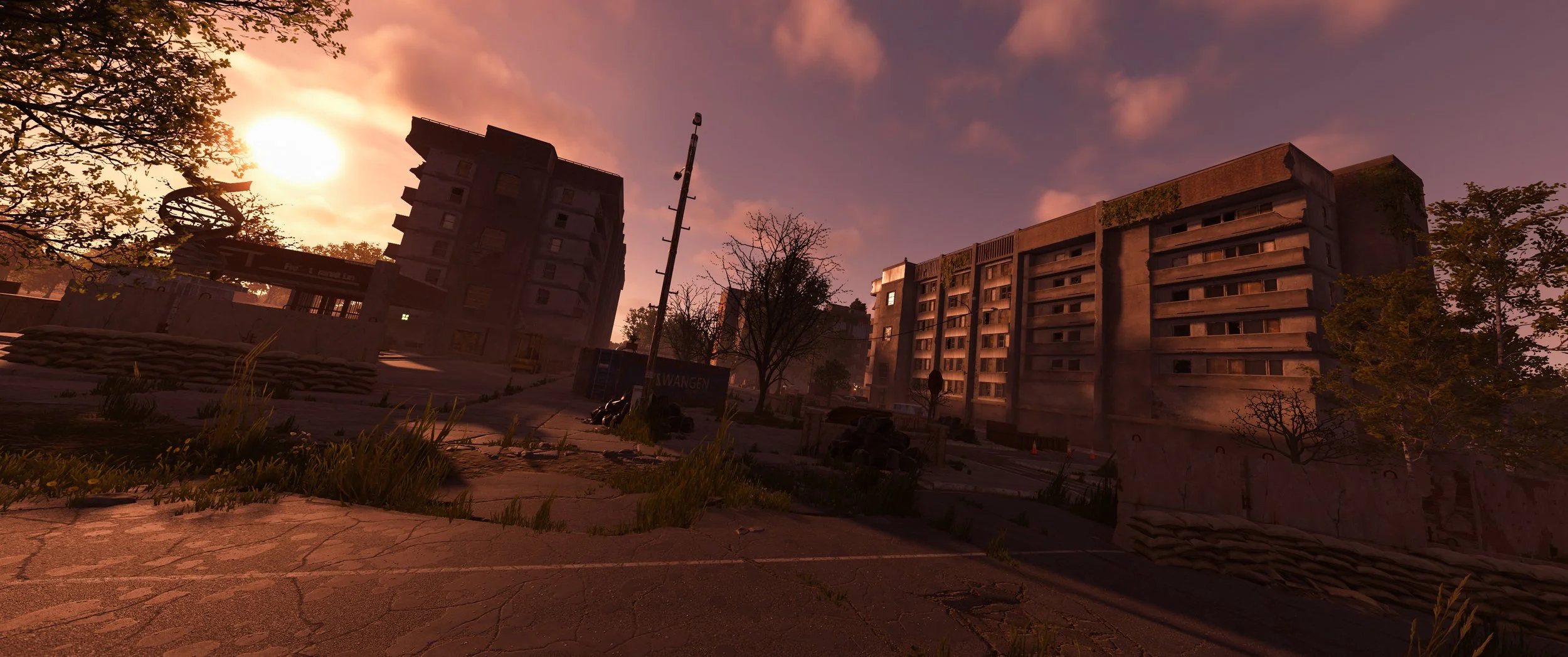
Apartment Complex Monument
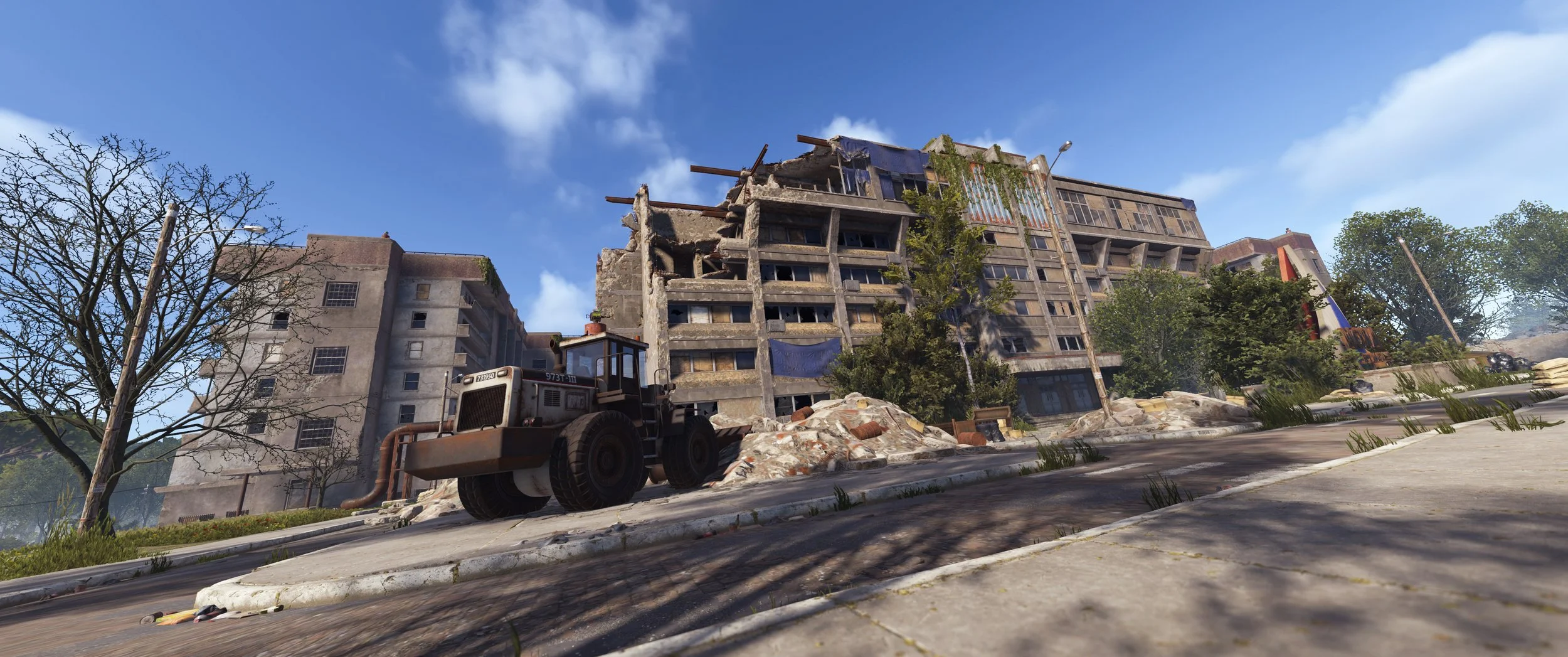
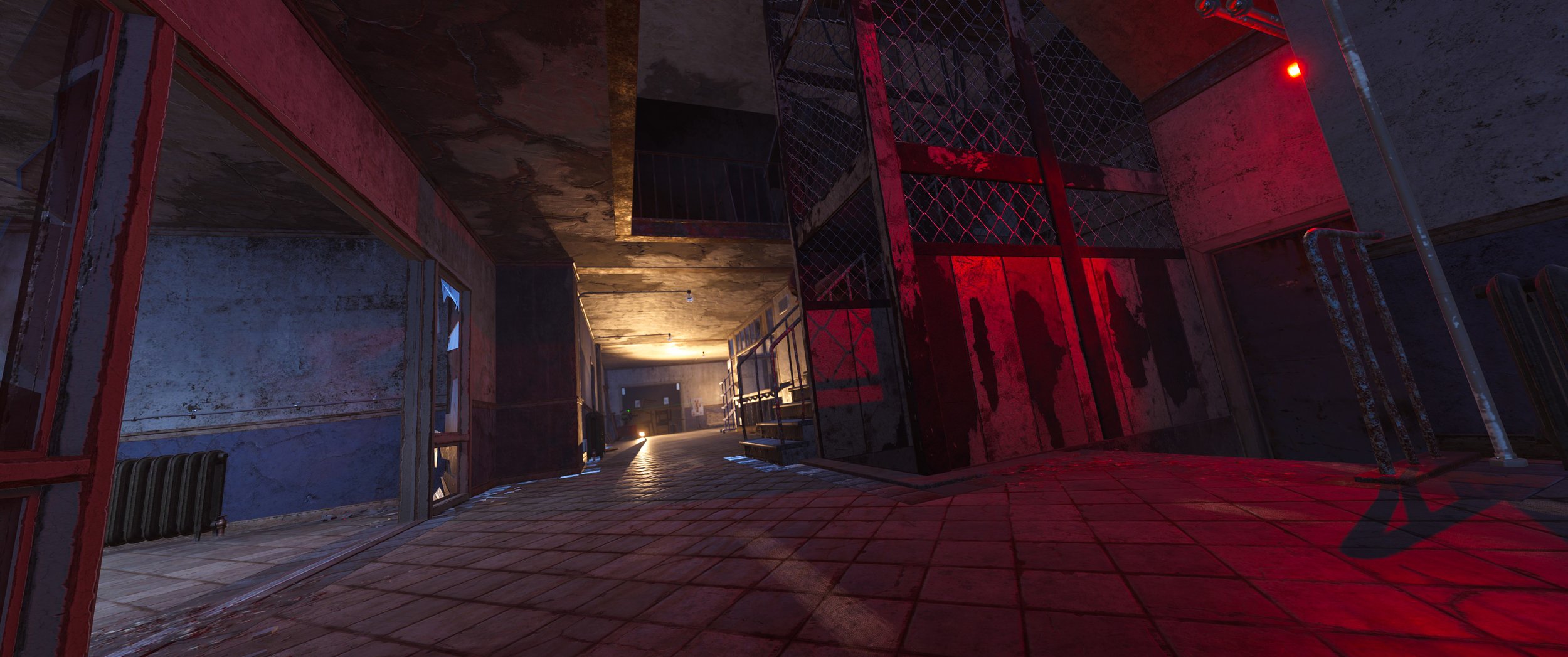
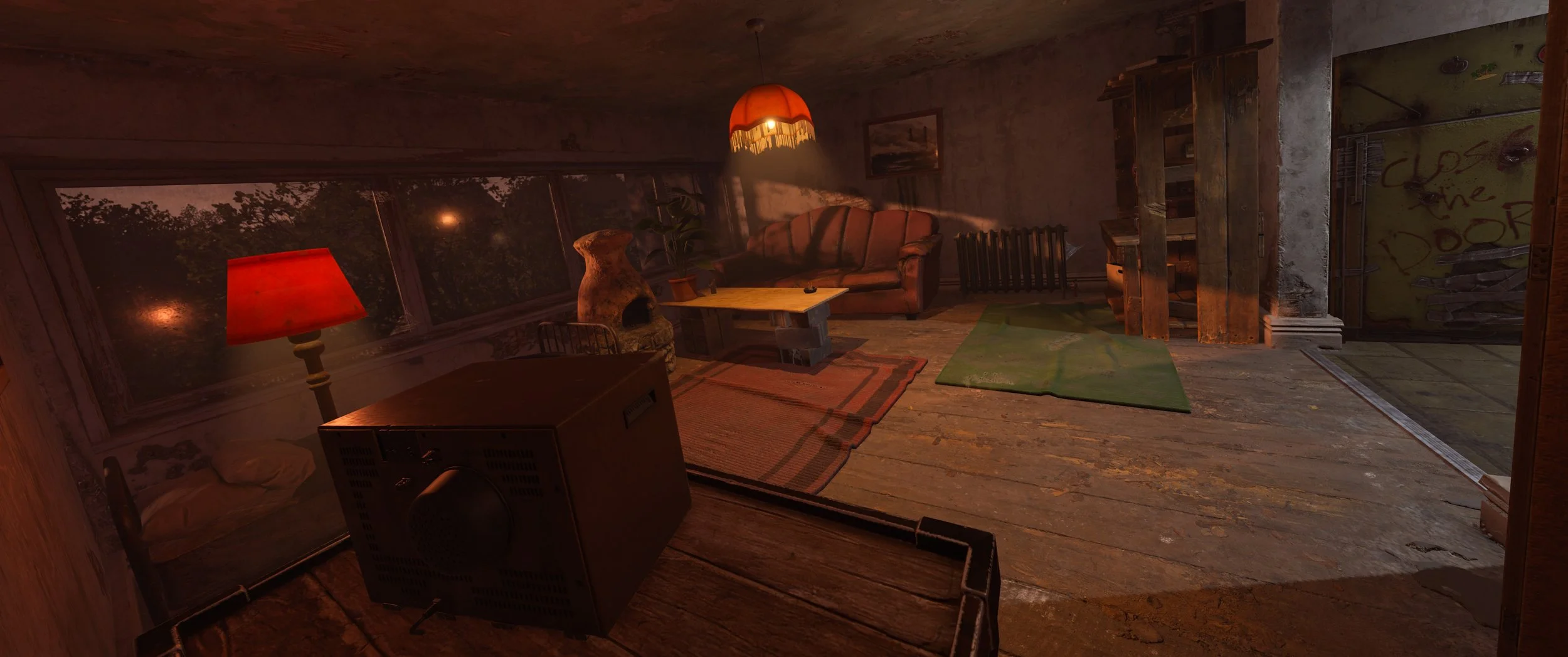
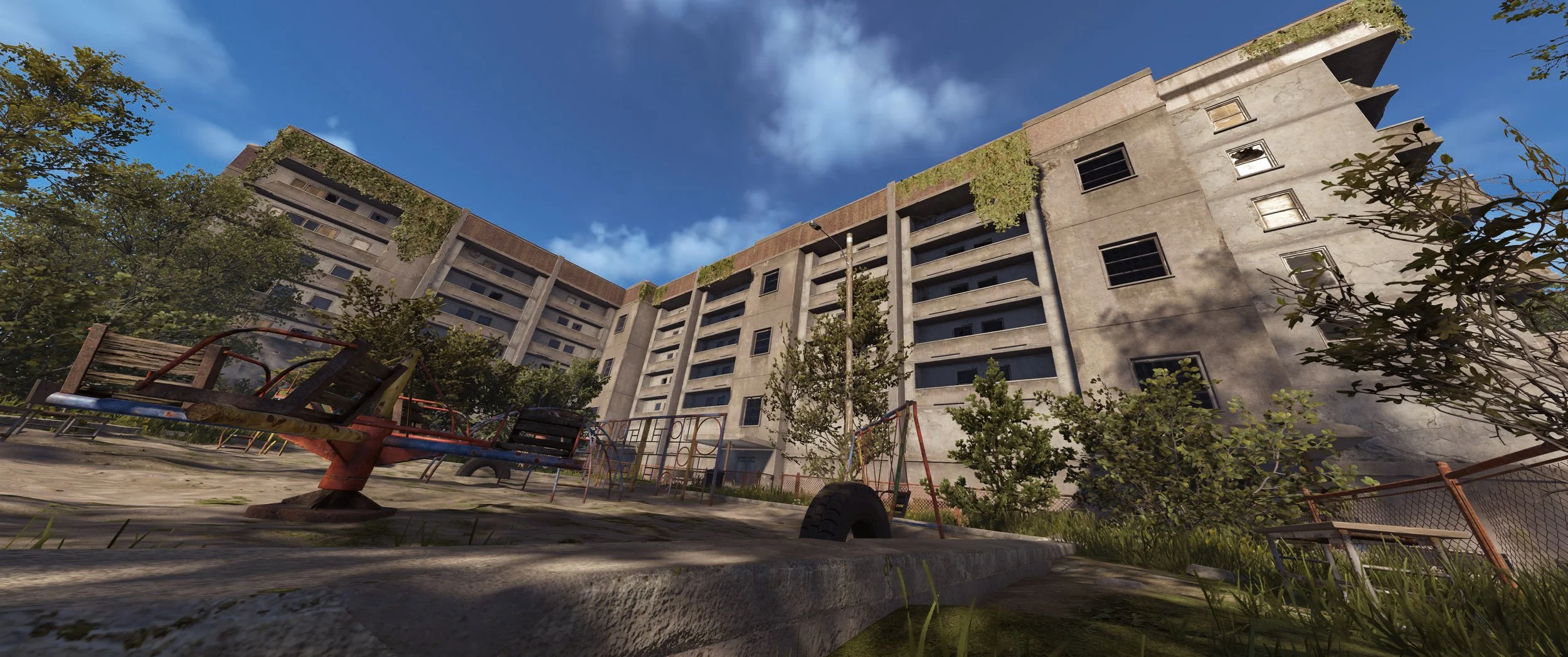
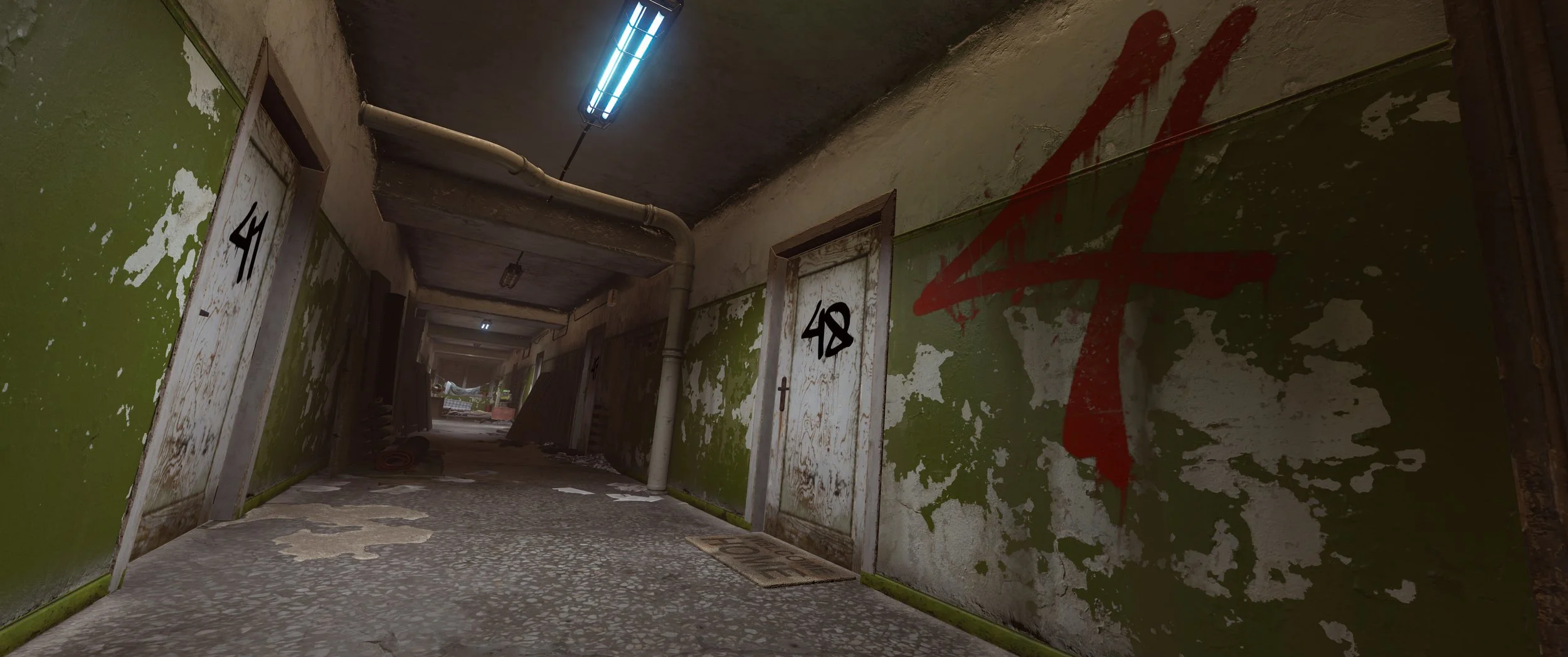
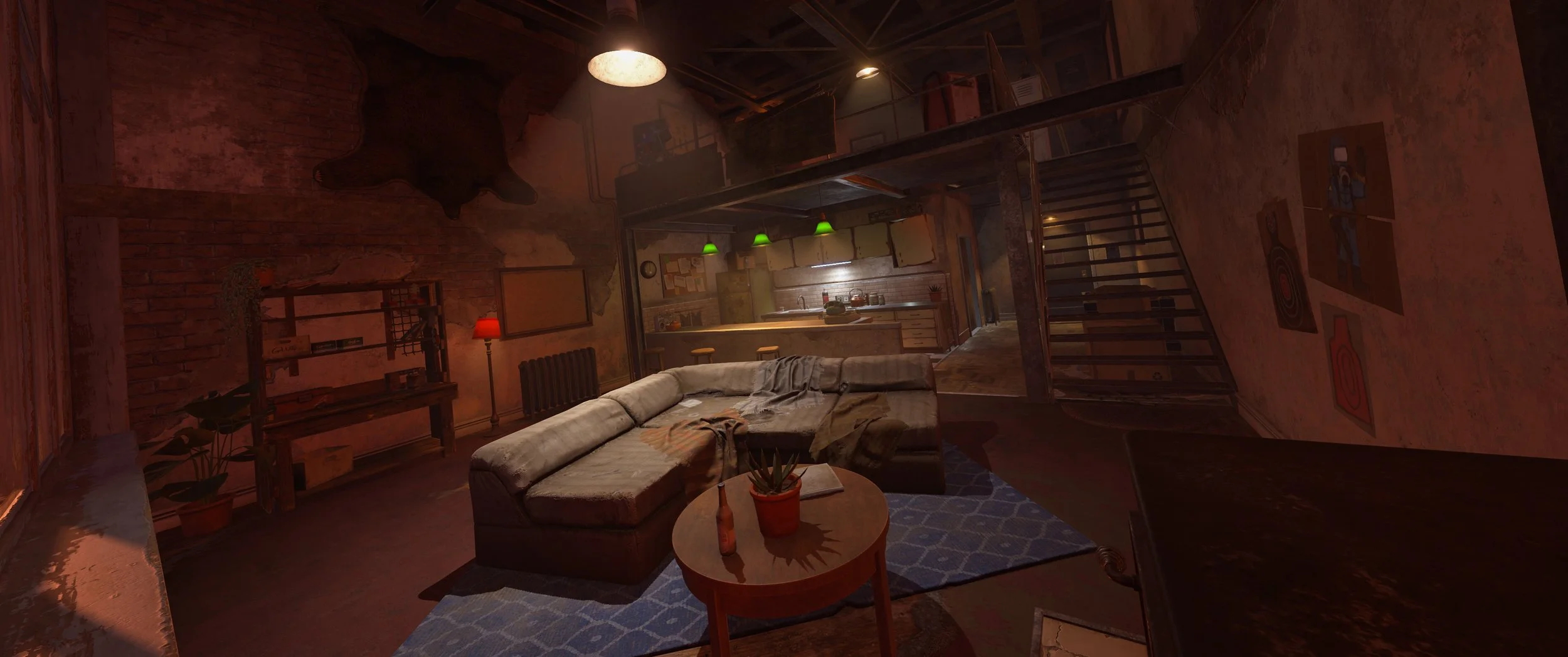
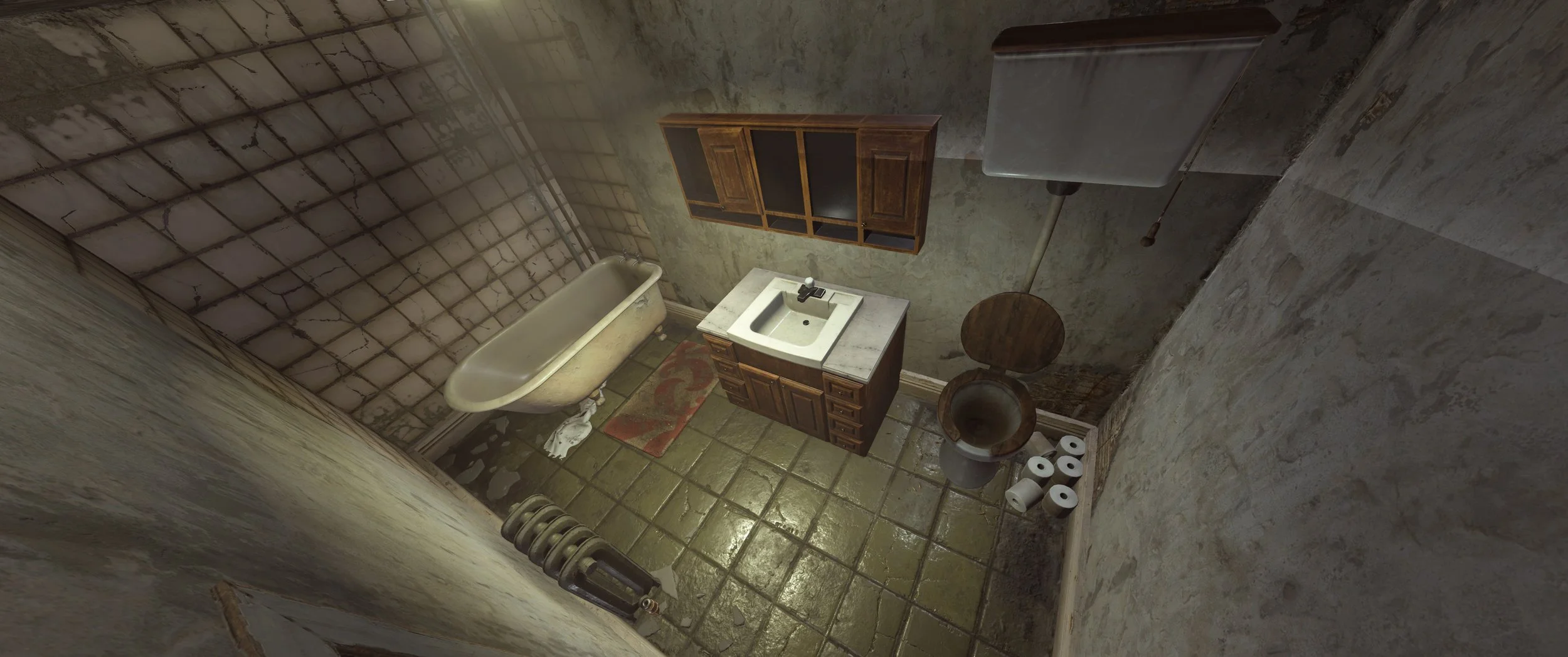
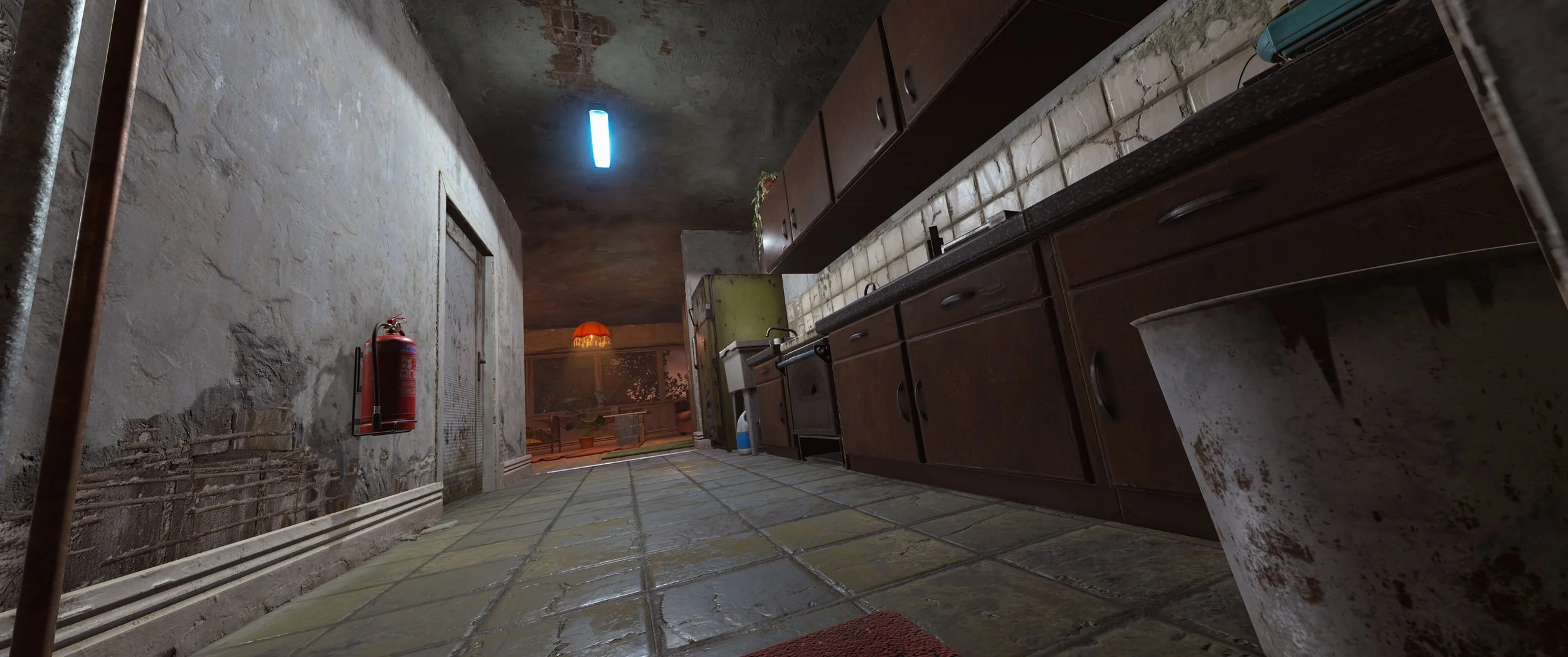
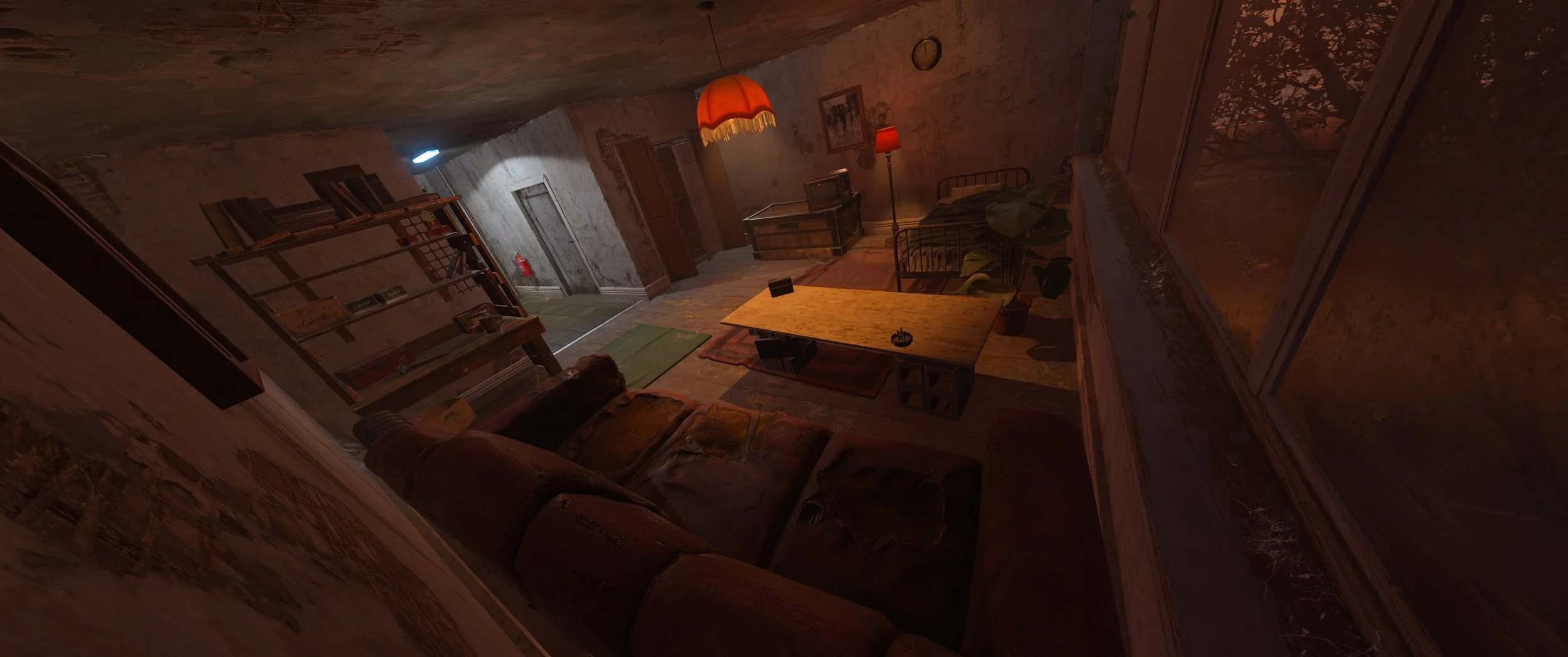
The headline addition this month is the new Apartment Complex monument. This safe zone city block brings a very different type of Rust location, with rentable apartments, player-run shops, elevators, mailboxes, a train station, playground, turrets, and a whole lot of run-down urban detail packed into one area.
The monument works like a mix between a hotel, a marketplace, and a very sketchy apartment building. Players can rent a place to stay, stash some gear, run a shop, send mail, browse rooms through a basement computer station, and probably get launched off a swing by someone within five minutes of arriving.
Renting apartments
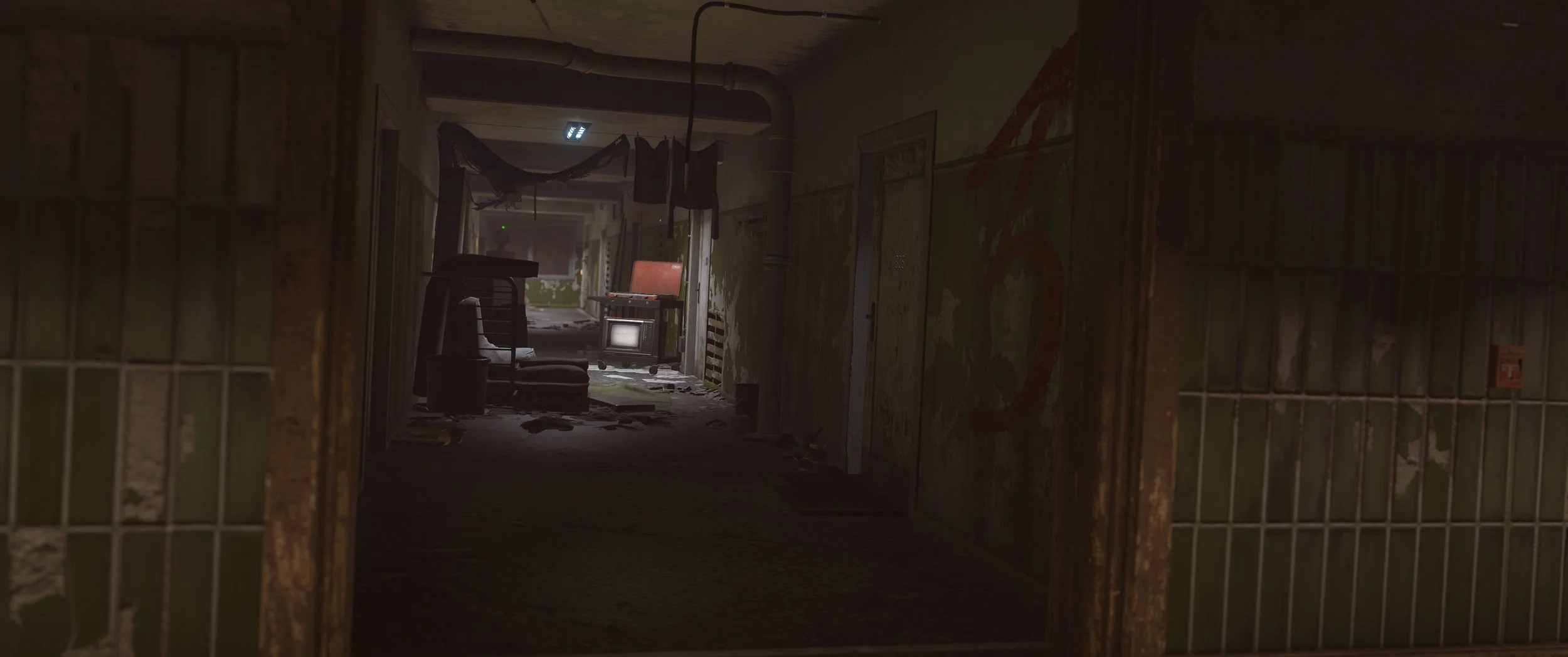
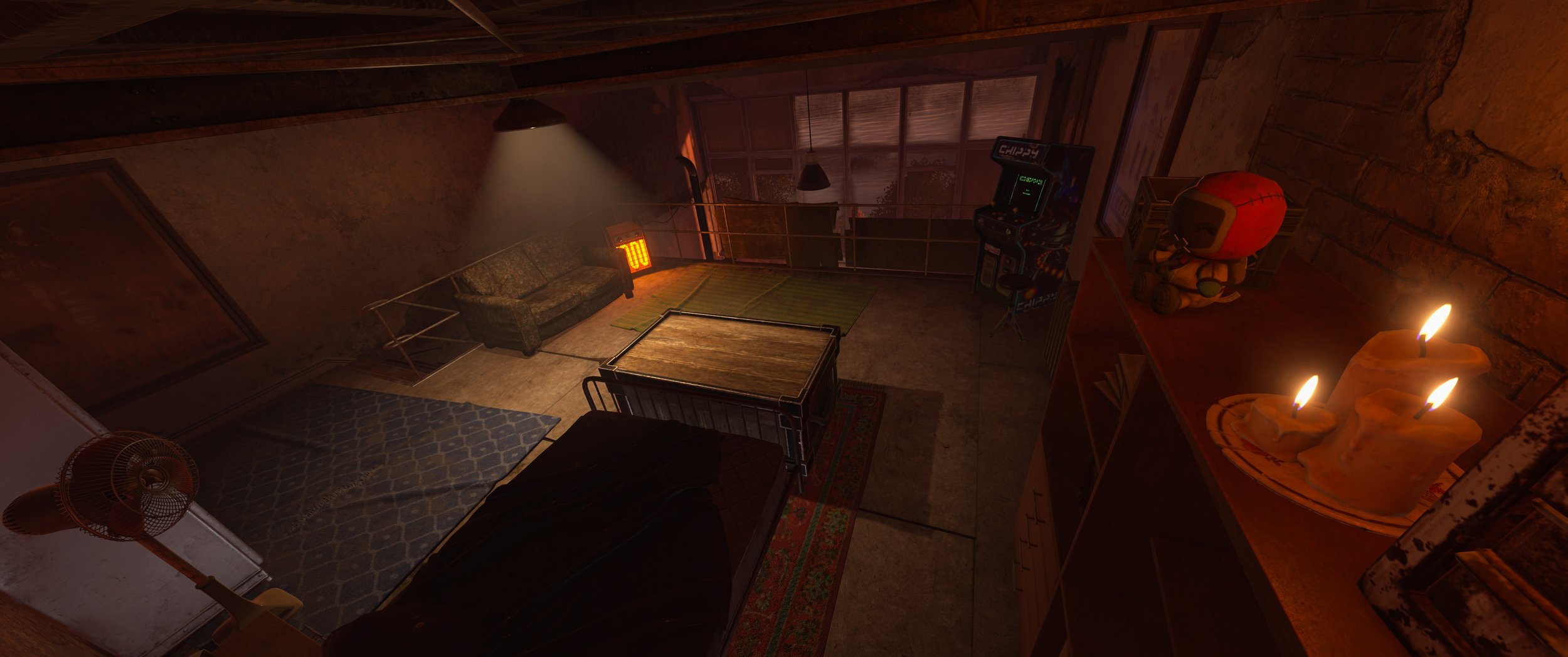
Players can rent rooms inside the main apartment building, with three room types available: small, medium, and large. Current costs are 25 scrap up front and 10 scrap per day for small rooms, 150 up front and 50 per day for medium rooms, and 350 up front with 100 per day for large rooms. Each tier comes with different space and utility, but all rooms include the basics like storage, a bed or bag, a phone, a built-in Tier 1 workbench, and upkeep paid in scrap.
The rooms are private, but they’re not fully customizable bases. You can’t upgrade the built-in Tier 1 workbench or place a new one, and decoration appears limited to specific built-in pieces like paintable signs. Standard rooms include a small furnace, while higher-tier rooms offer more space and better amenities. Rooms also include CCTV cameras, tying into the basement computer station and the broader apartment surveillance setup.
Shops and trading
The Apartment Complex also includes a marketplace of rentable shops. These work a lot like official storefront vending machines, letting players stock items, set prices, manage sell orders, and paint the sign above the shop. Once opened, a shopkeeper NPC appears to run the counter.
To open a shop, players pay a non-refundable upfront scrap fee plus ongoing rent based on real time. You’ll also need at least 12 hours of rent available before the store can open. Shops cannot be accessed by drone, so this is more of an in-person marketplace for apartment residents and anyone else visiting the monument.
There’s also a takeover system. After a shop has been open for 6 hours, another player can take it over, but they’ll pay double the upfront fee and rent. If it keeps changing hands, that multiplier continues to climb until someone runs out of rent and the shop resets.
If your shop closes or gets taken over while your items are still inside, you can return to the shop and retrieve them, but only for 24 hours. Master keys can also be used on shops, so treating one like perfectly safe storage is probably a good way to donate your loot to the local apartment economy.
Master keys and break-ins
Apartments are safer than a normal base, but they are not completely untouchable. A master key can be purchased from an NPC in the Apartment Complex basement, currently set around 1000 scrap. The key is single-use and consumed on break-in.
Master keys let players break into rented apartments or shops for temporary access, with apartment access lasting 5 minutes. There’s also a computer station in the basement which can be accessed for scrap, letting players view rentable shops, see which rooms are occupied, and get an estimated loot value before committing to a break-in. Basically: pay to scout, decide if it’s worth it, then burn a very rare key and hope the room isn’t just three burlap shirts and a dream.
Safety, access, and mail
The Apartment Complex itself is a safe zone, with safe zone turrets around the monument keeping the peace. Rented rooms, however, are treated as combat zones, so they are not perfect little safe-zone bubbles. Even if someone leaves a door open, barriers prevent unauthorized players from simply walking in and camping the room.
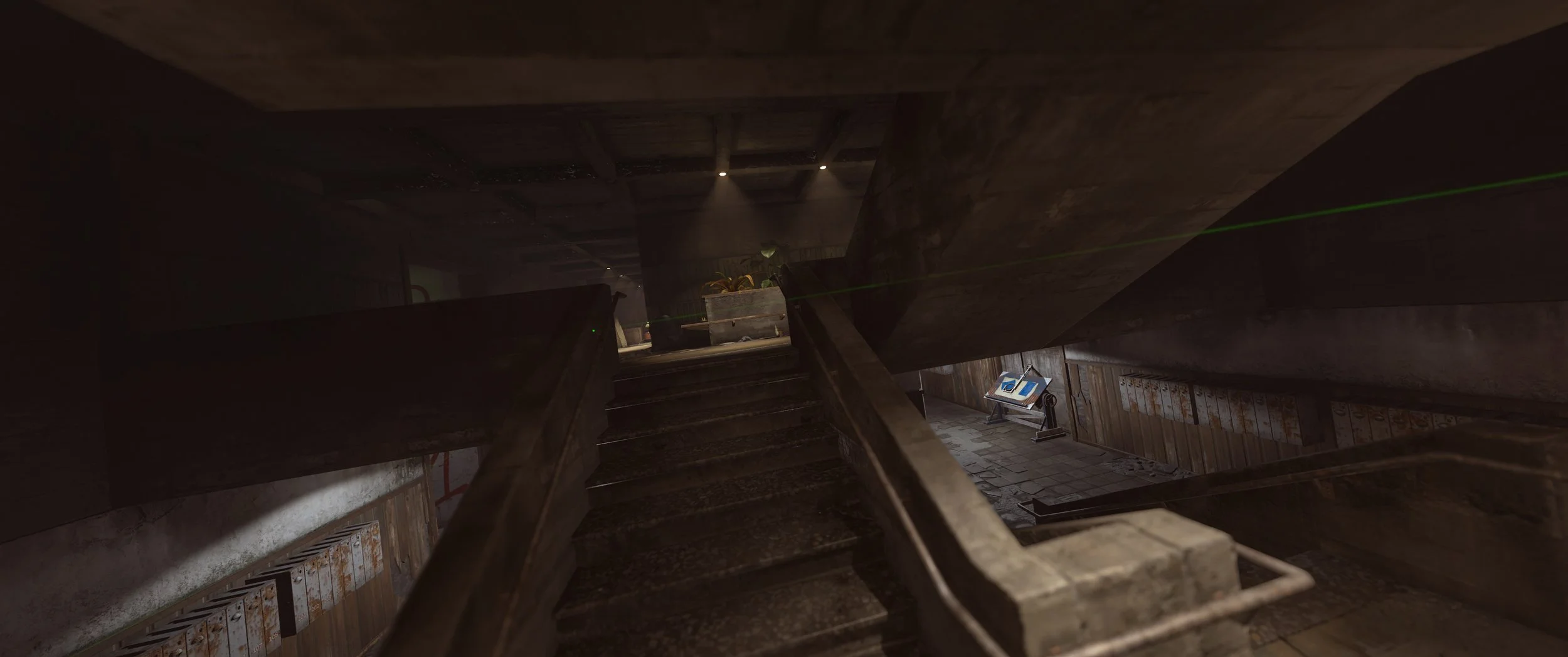
There are also mailboxes tied to rooms, allowing players to send messages to specific apartments. Add in the playground with swings and a merry-go-round, plus sound polish, access rules, CCTV, room break-ins, and shop handling, and the whole place feels more like an actual lived-in Rust location instead of just another monument.
Clan System and Table
The clan system is also rolling out this month, giving groups a more official way to organize in-game. Players can now craft a clan table, place it in their base, and use it to create and manage a clan from there. It’s available from a Tier 1 workbench, so this isn’t just an endgame toy for massive compounds.
Clans are basically a more advanced version of teams, with more members, roles and permissions, a separate clan chat channel, and announcement / MoTD text for communicating with the group. Clan names also show on player nameplates, and nearby clan members can be seen on the map. The system is disabled in Hardcore.
The table comes with a full clan UI, including member management, announcements, logs, and a score section. The score system also breaks down why points are gained or lost, with points tied to activities like destroying Bradley or Patrol Helicopter, looting crates, running Excavator, and using keycards. There’s been a lot of polish here too, including clan table snapping, logo fixes, streamer mode avatar handling, keybinds, and general UI cleanup.
Softcore Changes
Softcore is getting a pretty big shakeup this month, with the mode being pushed further toward a lower-stress version of Rust. The biggest change is the addition of raid windows, which limit when normal raiding can happen. By default, raiding is open from 6pm to 9pm local server time, giving players a more predictable window for base defense instead of the classic “wake up and everything is gone” experience.
Outside raid windows, Tool Cupboards project the raid blocking protection, so you’ll need to be inside TC radius for it to apply. A TC also needs to be at least one hour old before it can block raids, preventing players from dropping fresh cupboards to instantly protect a base.
During that protected time, building blocks and doors are covered, including walls, floors, roofs, doors, ladder hatches, and similar core base pieces. Deployables can still be attacked, as can a Tool Cupboard if it’s left exposed and unprotected.
Softcore is also getting 2x gather by default for trees, ores, harvestable corpses, and collectibles. That does not apply to player-planted growables, but it should still make early progression a lot quicker. Between faster gathering and raid windows, Softcore is becoming a much more clearly defined option for players who want Rust with a little less “please set an alarm for 3am” energy.
Player animation updates
Player animation work also continues this month with new sprinting animations while holding most two-handed projectile weapons and rifles. Instead of the old stiffer full-body sprint, the player now raises their right arm while the sprint animation takes over the rest of the body, making movement look a bit more responsive.
The newer torch animation system has also been extended to one-handed melee weapons, starting with the vanilla Hatchet for now. Once the developers are happy with it, this setup will likely roll out to more melee weapons.
Facepunch Charity Event 2026
Also starting with the update is the Facepunch Charity Event 2026, kicking off July 2nd at update time. This year’s event supports Cancer Research UK and Ronald McDonald House UK, with charity plushies hitting the item store, Twitch Drops running across all Rust channels, and more drops unlocking as donation milestones are reached. Facepunch says 100% of sale proceeds after Steam fees and tax from the charity bears will be donated to the two charities.
Creators can also get involved directly through Tiltify by starting their own fundraising team, with all team efforts contributing to the main fundraiser total. Auction items are also planned to arrive soon, so expect more charity-related activity as the event rolls on.
Glowing Wallpaper Pack
Also coming with the update is the Glowing Wallpaper Pack, a new cosmetic DLC with 27 wall, floor, and ceiling wallpapers. The pack includes neon designs, glowing graffiti, foxfire fungi, stars, fireflies, firearms, explosions, and glow-in-the-dark carpet, all purchasable in-game or through the Rust Steam item store.
A lot of the pack glows at night, with at least one animated mushroom wallpaper shown pulsing as part of the effect. Overall, this looks like a pretty sizeable decor pack for anyone who wants their base to look a little less stone cube and a little more neon disaster.
Quality of Life and Fixes
A bunch of smaller quality of life changes and fixes are also included with the update:
Skin pickers now grey out and mark the currently applied skin, making it easier to avoid accidentally selecting the same skin again.
The current skin indicator applies across skin picker areas like the repair bench and crafting menu.
A new inventory player model quality setting has been added.
Footstep frequency has been adjusted to be closer to the old player rig.
Industrial shelves now show correctly in conveyor filters.
Settings search got improvements, including arrow buttons and fixes for cycling through search results.
A clearer “Blocked by industrial piping” error has been added when an industrial pipe is what’s actually blocking construction.
Paintable sign inserts are now properly covered by Softcore raid windows.
The M16A2 received a fix for viewmodel attack animations resetting at low FPS, which also helps other high fire rate guns with similar animation issues.
NPC conversation cleanup has been fixed for cases where a player disconnects while talking to an NPC.
Bear traps and landmines had broken grass displacement fixed.
Several deployable bounds fixes were made for wood frames, wooden barricades, barbed barricades, wooden floor spikes, and medieval barricades.
Some warning spam and scene loading errors have been cleaned up, including oil rig scene warnings and a playground scene loading error.
Vending machines, fridges, and wall cabinets now support storage adaptor auto-sorting.
Computer station UI now scales with UI scale.
Improved main menu notifications.
Opening the demo browser now automatically refreshes the list.
Hunting Trophies can now show player skins.
Turrets with a burst-only gun like the M16A2 now use burst-fire.
New screen explaining Softcore.
Removed texture projectors that could cause performance loss.
Voice processing / PlayerVoice allocation cleanup.
Drawcall reduction around meshes with occlusion and batching setups.
Other Changes
Other player-facing or player-interesting changes in this update include:
Metal shopfronts are now skinnable through the workshop, opening the door for new custom storefront looks.
Shadow Caching is still experimental, but several recent fixes have cleaned up issues around low framerates, lighting, and the setting tooltip.
Broader culling and renderer batch fixes have been added, with benchmarks showing possible improvements to low framerates in some cases, even if max FPS may be slightly lower.
Weapon charms are now detailed alongside the Rust x Can Be backpack collab, with charms attachable to 55+ ranged weapons through inventory, crafting, or the repair bench at no crafting cost.
Player update jobs are now enabled by default as part of broader performance cleanup.
Radtown’s HLOD has been fixed so it should look better from a distance.
Cargo Ship network and bot fixes should help with cases where bots, sleepers, loot bags, and other moving-ship entities behaved strangely or caused unnecessary network updates.
A fix was added for fill mounts and catapult reload not updating the network group of spawned bots.
Weapon racks received a runtime optimization by moving rack mount config to a prefab attribute.
A new demo compatibility layer has been added, prompting players when an old demo may be opened with compatibility support. It attempts to remap changed item names to help recent demos keep working, though it only applies to demos recorded from this update onward.
The demo browser now auto-refreshes when opened, and demo config files rerun whenever a demo is restarted.
Tutorial Island fixes include bear and chicken behavior cleanup.